
Wednesday, August 19, 2026
Home Academic How to enable Together Mode in Microsoft Teams?

How to enable Together Mode in Microsoft Teams?

Go to your team setting option by clicking your profile image.

You’ll see the following Application Settings there.

Application

To restart, right-click the Teams icon in the taskbar, then select Quit. Then reopen Teams.
  • Auto-start application
  • Open application in background
  • On close, keep the application runningDisable GPU hardware acceleration (requires restarting Teams)
  • Register Teams as the chat app for Office (requires restarting Office applications)
  • Turn on new meeting experience (New meetings and calls will open in separate windows. Requires restarting Teams.)
  • Enable logging for meeting diagnostics (requires restarting Teams)

Make sure you select “Turn on new meeting experience (New meetings and calls will open in separate windows. Requires restarting Teams.)” option as highlighted in the image below.

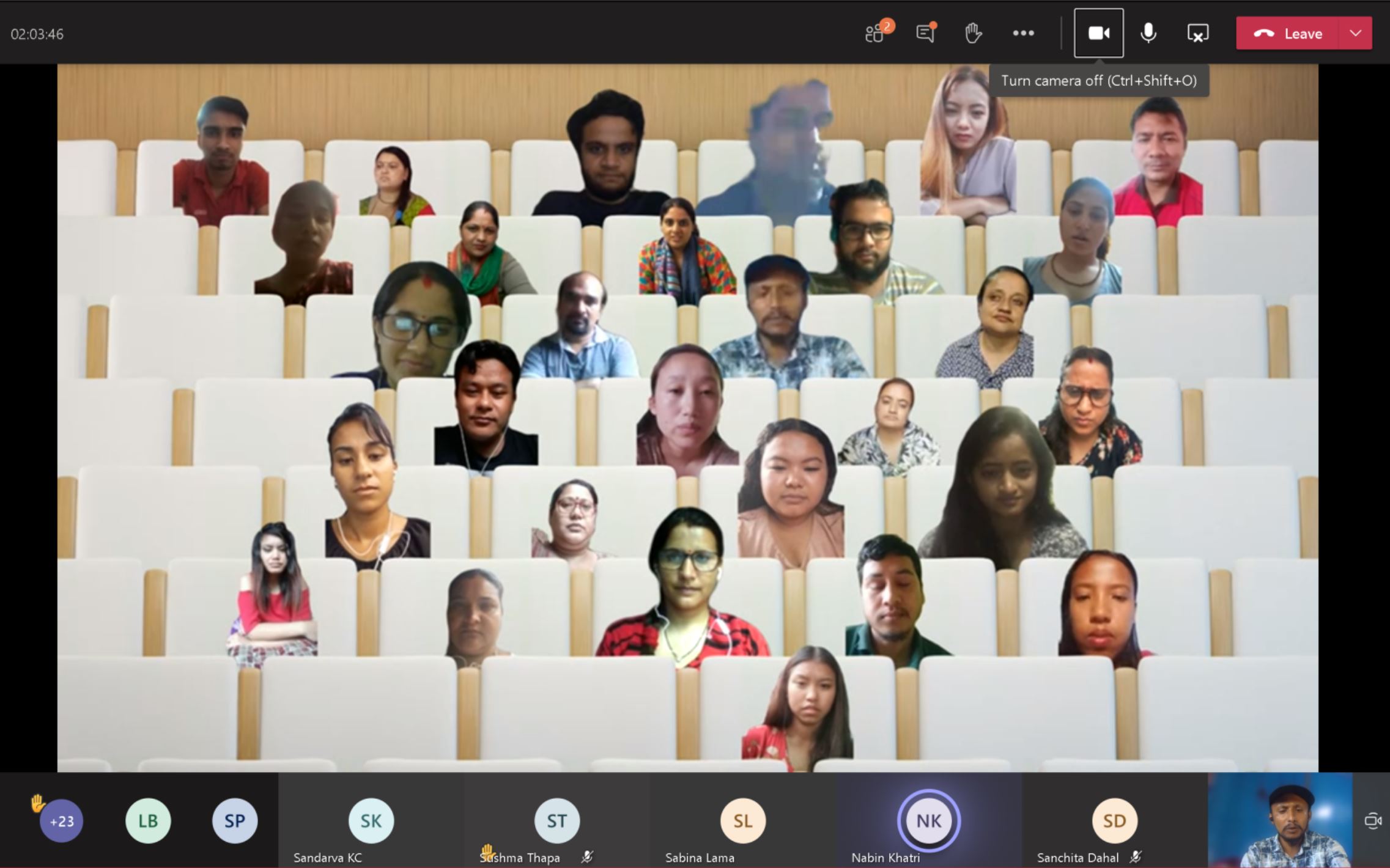
By enabling this option, a multiwindow popup feature will be enabled that allows you to access many different features of Microsoft Teams like 7 X 7 grid view and Together Mode, etc. Restart your Teams Desktop application to enjoy a new team meeting experience.

To switch your meeting view to together mode, you should go to Meeting Options and click on Together Mode as shown below.

Congratulation!!! You’re done. Enjoy Together Mode.

Thanks.
Visit our Facebook Page here.


datasagarhttp://www.DataSagar.com
Sagar is multidisciplinary technologist, educator, and entrepreneur based in Nepal. As the founder of Illionso Technologies and Kashi Garden Resort, he operates at the intersection of web architecture, data intelligence, innovation, and digital transformation. From building digital solutions to scaling real-world concepts, his mission is to share knowledge alongside merge emerging as well as disruptive technologies with transformative offline experiences.
RELATED ARTICLES

SynthID and C2PA Explained

Welcome to another AI-focused article here on datasagar.com! As I scroll through my social media feeds lately, I find myself playing a...

Why Linux Won the Infrastructure War? Lessons from Linus Torvalds

In 1991, 21-year-old Linus Torvalds announced a "hobby" operating system. Today, Linux powers supercomputers, cloud servers, and Android. Explore his journey, the open-source economy, and the lessons for modern developers.

What Is Vibe Coding? A Complete Beginner’s Guide to Building Software and Web Pages With AI

A few years ago, building a website meant sitting down with a programming book, picking a language, and slowly working through syntax...

Most Popular

SynthID and C2PA Explained

Welcome to another AI-focused article here on datasagar.com! As I scroll through my social media feeds lately, I find myself playing a...

Why Linux Won the Infrastructure War? Lessons from Linus Torvalds

In 1991, 21-year-old Linus Torvalds announced a "hobby" operating system. Today, Linux powers supercomputers, cloud servers, and Android. Explore his journey, the open-source economy, and the lessons for modern developers.

What Is Vibe Coding? A Complete Beginner’s Guide to Building Software and Web Pages With AI

A few years ago, building a website meant sitting down with a programming book, picking a language, and slowly working through syntax...

What is Answer Engine Optimization (AEO)? Getting Ready for AI Powered Search and Agentic Era Digital Marketing

Search is changing faster than it has in the last two decades. For years, businesses focused on ranking their websites on search...