
Monday, July 27, 2026
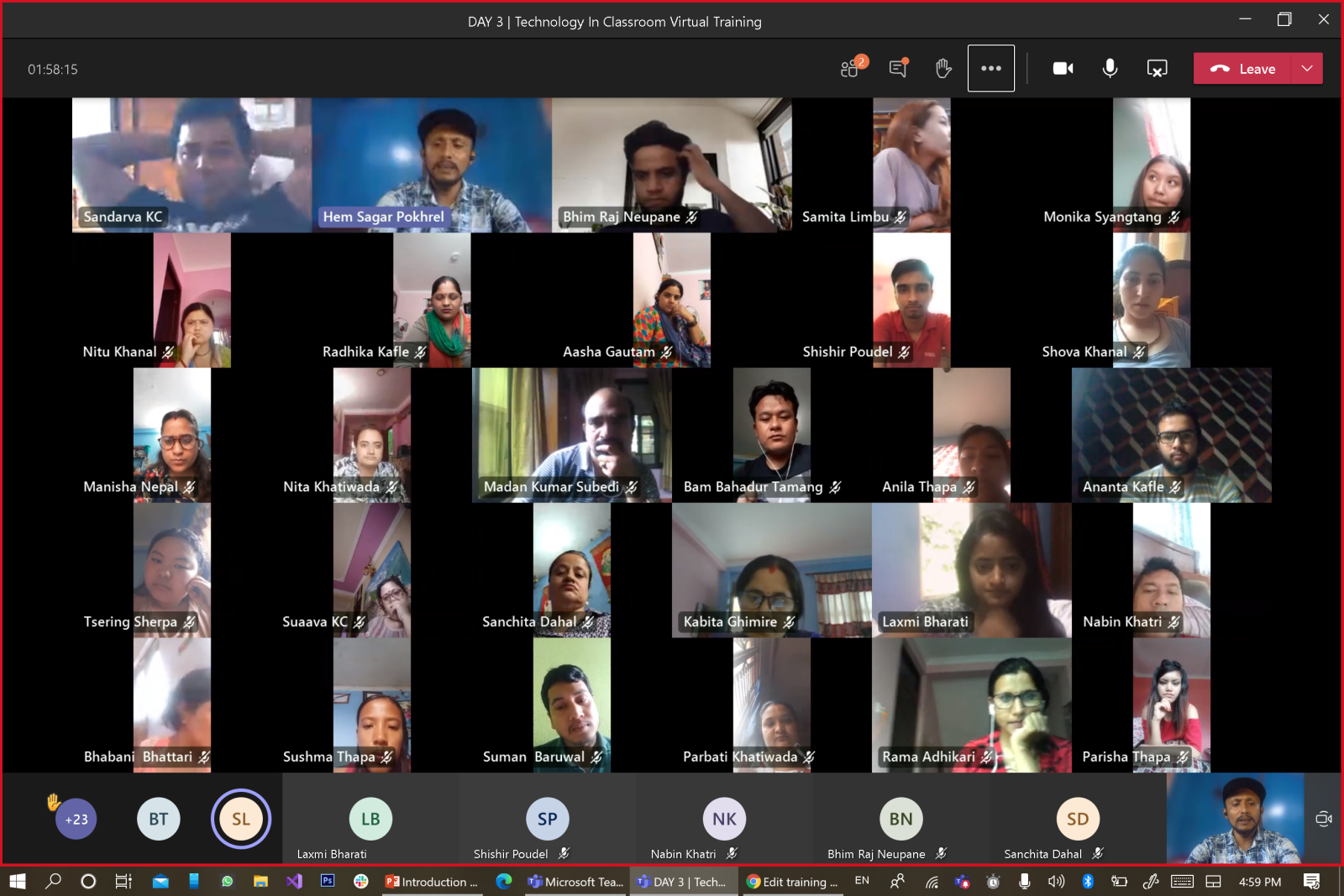
Home Academic How to enable a 7×7 gallery view in Microsoft Teams?

How to enable a 7×7 gallery view in Microsoft Teams?

Go to your Team’s setting(Desktop Application).
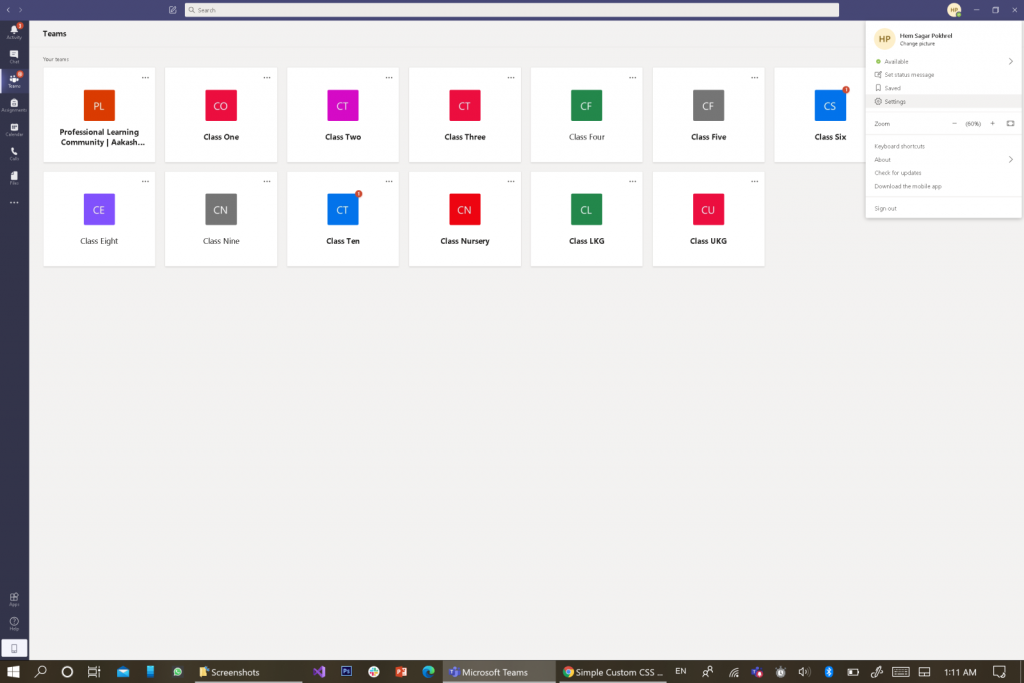
Enable the new meeting experience manually by checking the icon as shown in the image below. By doing so and restarting the application, the multi-windows mode will be enabled as discussed officially here by Microsoft.
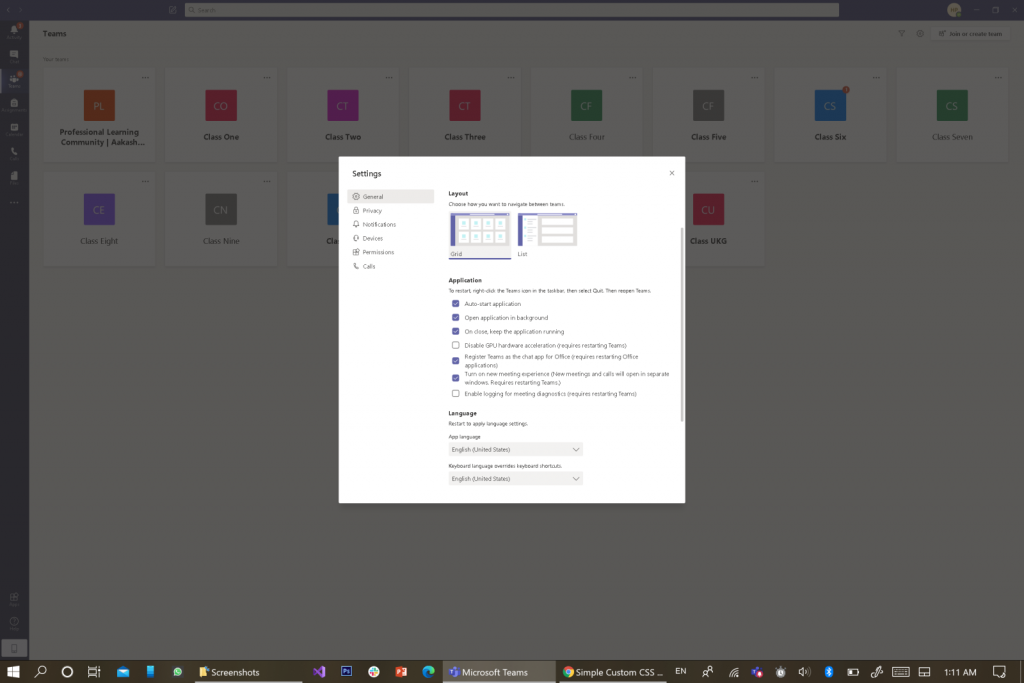
7X7 view is supported only in pop-up windows enabled mode as of August 2020 update.

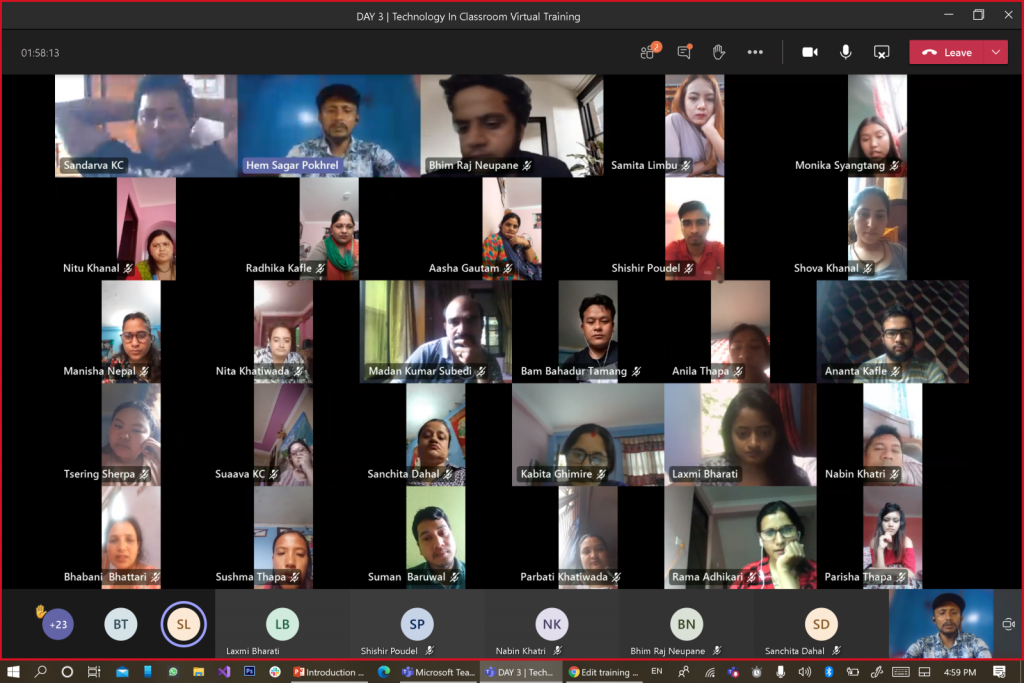
Go to meeting options to switch your view accordingly as shown in the image below. To enable a 7X7 view in a team, you need to select a Large Gallery(Preview) option there just above the “Choose Virtual Background” option shown below.
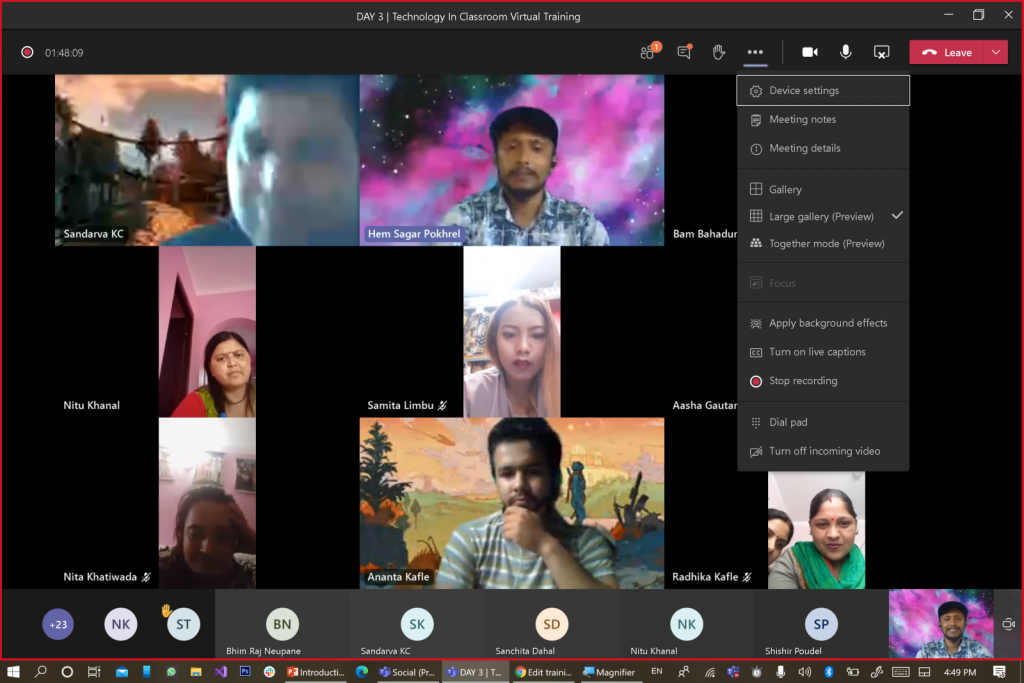
Your view will be changed.
datasagarhttp://www.DataSagar.com
The author of this blog post is a technology fellow, an IT entrepreneur, and Educator in Kathmandu Nepal. With his keen interest in Data Science and Business Intelligence, he writes on random topics occasionally in the DataSagar blog.
RELATED ARTICLES

How to setup DNS Records in Cloudflare – Guide for Website Owners

Whether you're launching your first website, connecting a custom email address, or moving your domain to a new hosting provider, you've probably...

DeepSeek AI: The Open-Source AI Disruptor Shaking Up the Tech World

DeepSeek AI is revolutionizing the artificial intelligence landscape with its open-source, cost-effective, and highly customizable model. Built on cutting-edge transformer architecture and fine-tuned using reinforcement learning with human feedback (RLHF), DeepSeek delivers human-like text generation and accurate responses. Its efficient training techniques reduce computational costs by up to 40%, while its foundation on open-source frameworks like PyTorch and TensorFlow ensures seamless integration for developers. Whether you're a startup, a developer, or a large enterprise, DeepSeek offers unparalleled transparency, affordability, and performance, making it a game-changer in the world of AI. Discover why DeepSeek is outshining competitors like ChatGPT and Google Gemini in this comprehensive guide.

Useful Python Libraries for Data Science & ML Enthusiasts

Hi there, DataSagar here! If you're as passionate about data science as I am, then you know how overwhelming it can be...

Most Popular

How to setup DNS Records in Cloudflare – Guide for Website Owners

Whether you're launching your first website, connecting a custom email address, or moving your domain to a new hosting provider, you've probably...

DeepSeek AI: The Open-Source AI Disruptor Shaking Up the Tech World

DeepSeek AI is revolutionizing the artificial intelligence landscape with its open-source, cost-effective, and highly customizable model. Built on cutting-edge transformer architecture and fine-tuned using reinforcement learning with human feedback (RLHF), DeepSeek delivers human-like text generation and accurate responses. Its efficient training techniques reduce computational costs by up to 40%, while its foundation on open-source frameworks like PyTorch and TensorFlow ensures seamless integration for developers. Whether you're a startup, a developer, or a large enterprise, DeepSeek offers unparalleled transparency, affordability, and performance, making it a game-changer in the world of AI. Discover why DeepSeek is outshining competitors like ChatGPT and Google Gemini in this comprehensive guide.

Useful Python Libraries for Data Science & ML Enthusiasts

Hi there, DataSagar here! If you're as passionate about data science as I am, then you know how overwhelming it can be...

Nepal Government allowing IT Companies to Invest Abroad

In a landmark decision that signals Nepal’s intent to embrace globalization and technological advancement, the government has now allowed Nepali IT companies...

Recent Comments