


If you’re new to Django and eager to build your first project, you’re at the right place. This guide will walk you through the essential steps, from installing Python to setting up a Django project named “DataSagar.” Follow along to start your Django journey!
1. Install Python
Download Python
- Visit the official Python website: python.org.
- Hover your mouse over the Downloads menu and select the latest version of Python for your operating system (e.g., Windows, macOS, or Linux).
- Download and run the installer.
Install Python
- During installation, make sure to check the box “Add Python to PATH” before clicking Install Now.
- Follow the prompts to complete the installation.
Verify Python Installation
- Open your terminal or command prompt.
- Type the following command and press Enter:
python --versionIf Python is installed correctly, you will see the installed version (e.g.,Python 3.10.8).


2. Create Your First Django Project
Create a Project Directory
- Open the command prompt and navigate to the
C:/drive:cd C:/ - Create a folder named
django-project:mkdir django-project cd django-project
Set Up a Virtual Environment
A virtual environment isolates your project dependencies.
- Create a virtual environment:
python -m venv env - Activate the virtual environment:
- On Windows:
env\Scripts\activate- On macOS/Linux:
source env/bin/activate
- On macOS/Linux:
- On Windows:
- You will notice your terminal prompt changes, indicating the environment is active.
Install Django
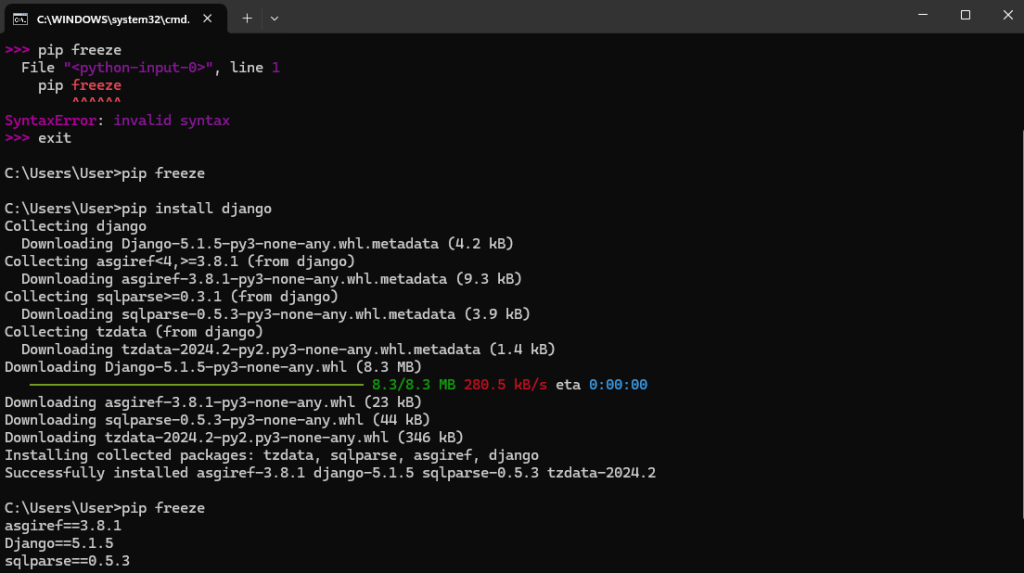
- Install Django using pip:
pip install django - Verify the installation:
django-admin --version
3. Create the “DataSagar” Project
- Inside the
C:/django-projectfolder, create your Django project nameddatasagar:django-admin startproject datasagar - Navigate into the
datasagarfolder:cd datasagar
4. Understanding the Files and Folders in datasagar
After creating the datasagar project, you will see the following files and folders:
Folder and File Structure
C:/django-project/datasagar/
├── datasagar/
│   ├── __init__.py
│   ├── asgi.py
│   ├── settings.py
│   ├── urls.py
│   ├── wsgi.py
├── manage.py
It’s very essential you know the meaning of each Files and Folders
- datasagar/: This is the main project folder containing core project files.
__init__.py: An empty file that indicates this folder is a Python package.asgi.py: Used for deploying the application using ASGI (Asynchronous Server Gateway Interface).settings.py: Contains all the configuration for your Django project (e.g., database settings, installed apps).urls.py: The URL configuration file where you define routes for your project.wsgi.py: Used for deploying the application using WSGI (Web Server Gateway Interface).
- manage.py: A command-line utility for interacting with your project (e.g., running the development server, migrations).
5. Create Additional Folders: media, static, and templates
To organize your project effectively, you need the following folders:
Step 1: Create the Folders
- Inside the
datasagarfolder, create the folders manually or use the following commands:mkdir media mkdir static mkdir templates
Step 2: Understand Their Purpose
media/:- Used to store user-uploaded files (e.g., profile pictures, documents).
- During development, you need to configure
MEDIA_URLandMEDIA_ROOTinsettings.py.
static/:- Contains static files (e.g., CSS, JavaScript, images) used across your project.
- You need to configure
STATIC_URLandSTATICFILES_DIRSinsettings.py.
templates/:- Stores HTML templates for your project.
- You need to configure
TEMPLATESinsettings.pyto point to this folder.
6. Run Your Django Project
- Start the development server:
python manage.py runserver - Open your browser and go to
http://127.0.0.1:8000/to see the default Django welcome page.- You can also specify port number in case if PORT 8000 is used by another project or application like
python manage.py runserver 4444
- You can also specify port number in case if PORT 8000 is used by another project or application like
Congratulations! You have successfully set up your first Django project. 🎉 For more information, please follow our Learn Django from The Beginning Series.